


Download XULPlayer – Free, Secure Multimedia Player for Windows, macOS & Linux
Overview
XULPlayer arrives at a time when the market is saturated with familiar names like iTunes, Winamp, and Windows Media Player. Yet, despite the comfort of those legacy tools, many users crave a fresh visual language and a handful of capabilities that go beyond simple playback. XULPlayer answers that call with a distinctive interface built on the XUL (XML User Interface Language) framework, delivering a sleek, modern look while keeping the learning curve shallow. The application supports an impressively wide range of multimedia formats—whether you’re streaming an MP4 movie, listening to an FLAC audio track, or browsing a collection of high‑resolution PNG images, XULPlayer handles it without demanding additional codecs.
Beyond raw compatibility, XULPlayer introduces several creative twists that set it apart. One of the headline features is its dual‑video mode, allowing two video streams—or a video and an audio track—to play side‑by‑side or overlayed, with built‑in cross‑fade controls that make DJ‑style mixing possible directly from the player. This capability is especially handy for content creators who need to preview how two clips interact or for casual users who enjoy experimenting with playlists in a more visual way.
Another unique offering is a set of lightweight editing tools embedded directly in the playback window. Users can adjust colour balance, apply simple filters, rotate the image, or capture a high‑resolution screenshot with a single click. Subtitle handling is also streamlined; XULPlayer detects embedded tracks automatically, lets you adjust font size on the fly, and even supports custom subtitle files in SRT, ASS, or VTT formats.
While the current build does exhibit a few minor bugs—such as occasional subtitle size glitches on startup—these are already on the developer’s radar, and the automatic XULRunner downloader ensures you receive the latest runtime fixes without manual intervention. Overall, XULPlayer delivers a refreshing alternative to the “one‑size‑fits‑all” players that dominate the desktop, blending robust format support with a suite of creative tools that invite users to explore media in new ways.
Key Features
- Dual‑Video Playback: Play two video or audio streams simultaneously with cross‑fade control and synchronized timeline.
- Broad Format Support: Native handling of MP4, MKV, AVI, MOV, FLV, WMV, MP3, FLAC, WAV, OGG, PNG, JPEG, BMP, and many more without extra codecs.
- Integrated Editing Tools: On‑the‑fly colour correction, brightness/contrast adjustment, image rotation, and filter application.
- One‑Click Screenshot Capture: Export high‑resolution frames from any video at any moment with a single icon.
- Advanced Subtitle Management: Automatic detection, font‑size scaling, custom subtitle file support, and live subtitle syncing.
- Customizable Interface: Skinnable UI built on XUL, allowing users to tweak colours, layout, and toolbar icons.
- Keyboard Shortcuts: Pre‑configured shortcuts for play/pause, volume, track navigation, and screenshot, with options to reassign.
- Automatic XULRunner Updates: The installer fetches the latest XULRunner runtime from the internet, ensuring compatibility and security.
- Lightweight & Secure: Minimal memory footprint, sandboxed playback, and no ad‑ware or telemetry bundled.
- Cross‑Platform Availability: Fully functional on Windows 7/8/10/11, macOS 10.12+, and major Linux distributions.
Installation & Usage Guide
Getting XULPlayer up and running is intentionally straightforward. Begin by visiting the official download page, where you’ll find separate installer packages for Windows (.exe), macOS (.dmg), and Linux (.tar.gz). The installer is signed with a trusted certificate, ensuring a secure download free from tampering.
**Windows Installation:** Run the .exe file, accept the license agreement, and choose the destination folder (default is C:\Program Files\XULPlayer). The installer automatically checks for the latest XULRunner runtime; if missing, it downloads the appropriate version in the background. Once the process completes, a shortcut appears on your desktop and in the Start menu.
**macOS Installation:** Open the .dmg, drag the XULPlayer icon into the Applications folder, and confirm any Gatekeeper prompts. The first launch will trigger a one‑time XULRunner download; macOS will ask for permission to access the network, which you should grant.
**Linux Installation:** Extract the tarball to a preferred location (e.g., /opt/xulplayer), then run the provided install.sh script with root privileges. The script installs required dependencies, fetches XULRunner, and creates a desktop entry for easy access.
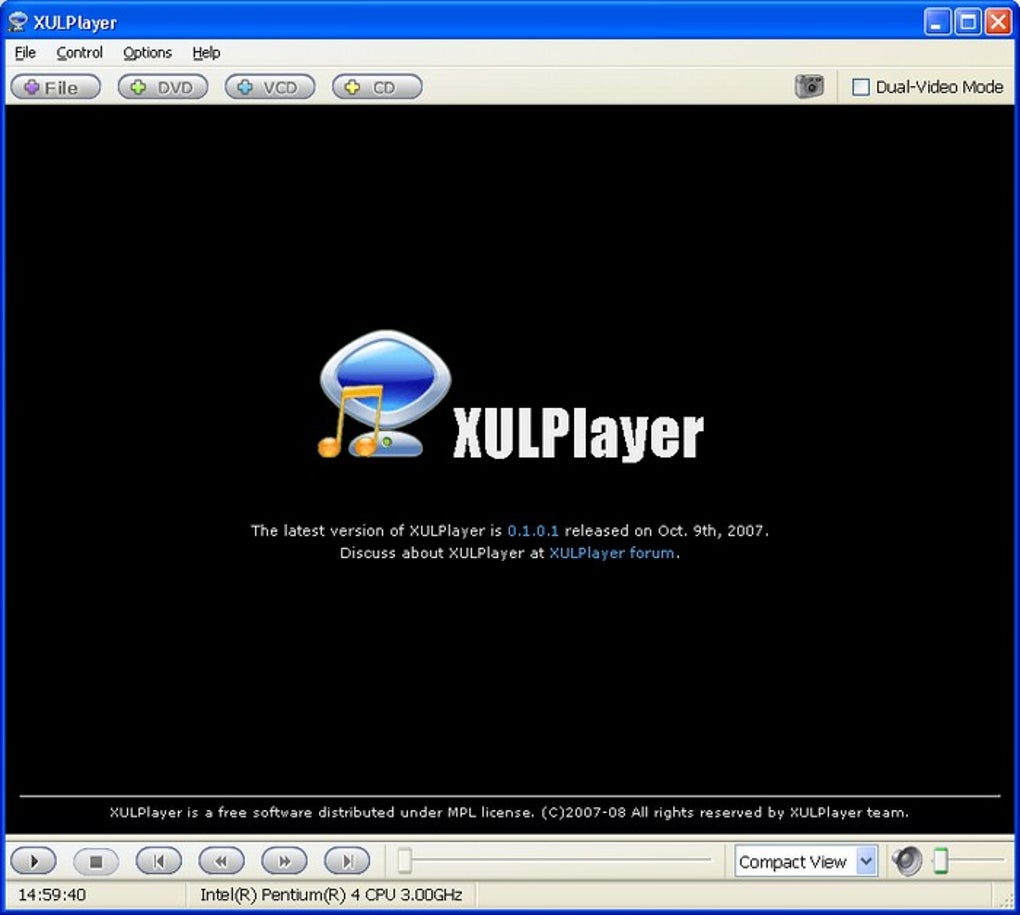
After installation, launching XULPlayer opens a clean, borderless window with a central playback pane and a compact toolbar at the top. To open a file, click the Open icon or drag‑and‑drop your media directly onto the window. For dual‑video mode, click the Dual‑Play button, then select two files; you can adjust the layout (side‑by‑side, picture‑in‑picture) via the View menu.
Keyboard enthusiasts will appreciate the built‑in shortcuts: Space toggles play/pause, Ctrl+←/→ skips tracks, S captures a screenshot, and Ctrl+F toggles full‑screen. All shortcuts are customizable through the Preferences → Keyboard panel, which also lets you assign custom skins and define default volume levels.
Finally, XULPlayer includes an auto‑update checker that runs at startup. If a newer version is available, a non‑intrusive banner appears, allowing you to download and install the update with a single click—ensuring you always have the latest bug fixes and feature enhancements.
Compatibility, System Requirements & Performance
XULPlayer is engineered to be lightweight yet powerful, making it suitable for both older machines and modern high‑performance workstations. Below is a breakdown of the officially supported operating systems and the minimum hardware specifications needed for smooth operation.
Supported Operating Systems:
- Windows: 7, 8, 10, 11 (64‑bit recommended)
- macOS: 10.12 (Sierra) and later (Intel and Apple Silicon)
- Linux: Ubuntu 18.04+, Fedora 30+, Debian 10+, and other major distributions with GLib 2.56+
Minimum Hardware Requirements:
- CPU: Dual‑core 2 GHz (Intel Core i3 / AMD Ryzen 3 or equivalent)
- RAM: 2 GB (4 GB recommended for dual‑video mode)
- Graphics: Integrated GPU with OpenGL 3.2 support; dedicated GPU recommended for 4K playback
- Storage: 150 MB for the application plus additional space for temporary cache (≈ 50 MB per hour of video)
On systems that meet the minimum criteria, XULPlayer delivers fluid playback at 1080p, while 4K content runs comfortably on machines equipped with a modern GPU and at least 4 GB of RAM. The dual‑video feature does double the decoding load, so for simultaneous 1080p streams a modest dedicated graphics card (e.g., NVIDIA GTX 1050 or equivalent) ensures no frame drops.
Security is a cornerstone of XULPlayer’s design. All network interactions—such as the automatic XULRunner download and update checks—are conducted over HTTPS with certificate verification. The player runs in a sandboxed environment, preventing rogue media files from accessing the file system outside the designated media directories.
Performance tuning options are available under Preferences → Playback. Users can enable hardware acceleration, select the preferred video decoder (FFmpeg or native), and adjust the cache size for smoother streaming. For low‑end devices, disabling dual‑video and turning off visual effects (e.g., shadows and animated transitions) can free up resources and improve responsiveness.
Pros and Cons
- Pros
- Elegant, modern UI built on XUL, offering high customizability.
- Dual‑video playback with cross‑fade control—a rarity among free media players.
- Broad native format support eliminates the need for external codec packs.
- Integrated editing tools (colour, rotation, filters) for quick adjustments without leaving the player.
- One‑click screenshot capture for creating thumbnails or sharing moments.
- Robust subtitle handling with live resizing and multiple language support.
- Lightweight footprint and low memory usage on standard playback.
- Automatic XULRunner updates keep the runtime secure and up‑to‑date.
- Cross‑platform availability ensures a consistent experience on Windows, macOS, and Linux.
- Cons
- Occasional subtitle size glitch on first launch (fixed in recent patches).
- Dual‑video mode can be demanding on older hardware; may require GPU acceleration.
- Limited documentation for advanced skinning; community guides are still growing.
- No built‑in streaming service integration (e.g., Spotify, Plex) at this time.
- While stable, the XUL framework is less common, which may affect third‑party plugin availability.
Frequently Asked Questions
Is XULPlayer completely free or does it offer a paid version?
XULPlayer is 100 % free for personal and commercial use. There is no premium tier, and the developer funds the project through optional donations.
Can I use XULPlayer to stream online videos from services like YouTube?
Yes, XULPlayer supports network streams via URL. By opening a video link (e.g., an MP4 file hosted on a server), you can stream directly. However, it does not include built‑in plugins for DRM‑protected services such as Netflix or Hulu.
How does the dual‑video feature affect battery life on laptops?
Running two video streams simultaneously increases CPU/GPU usage, which can reduce battery life by roughly 15‑20 % compared to single‑video playback. Enabling hardware acceleration and lowering the playback resolution can mitigate the impact.
Is there a way to customize keyboard shortcuts?
Absolutely. Navigate to Preferences → Keyboard where you can reassign existing shortcuts or create new ones for actions like screenshot capture, dual‑play toggle, and subtitle size adjustment.
What should I do if XULPlayer crashes during playback?
First, ensure you are using the latest version; the auto‑update checker will prompt you. If the issue persists, open the Help → Report Issue dialog and attach the crash log located in the %APPDATA%/XULPlayer/logs folder (Windows) or the corresponding directory on macOS/Linux. The development team typically responds within 48 hours.
Conclusion & Call to Action
In a landscape dominated by legacy players, XULPlayer stands out as a modern, feature‑rich alternative that doesn’t sacrifice performance for creativity. Its dual‑video capability, built‑in editing suite, and comprehensive subtitle tools provide a level of interactivity that many free applications lack. While a few minor bugs remain, the developer’s commitment to regular updates and transparent communication suggests a bright future for the project.
If you’re looking for a secure, free media player that supports a wide array of formats, offers on‑the‑fly visual tweaks, and lets you experiment with dual‑track playback, XULPlayer is worth a download. Simply click the button below to get the latest version for your operating system, and start exploring your media library in a fresh, customizable environment.







